
Video Downloader
InShot Inc.Video Players & Editors
4.753.83K Reviews
- Version
- 2.7.4
- Installs
- 100.00M
- Age Rating
- Teen
Screenshots
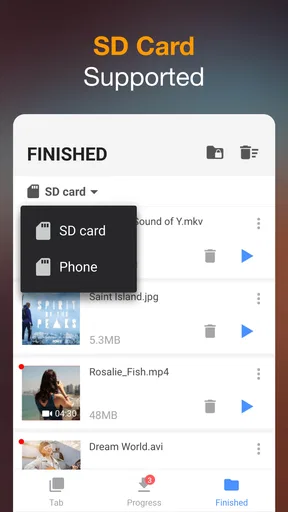
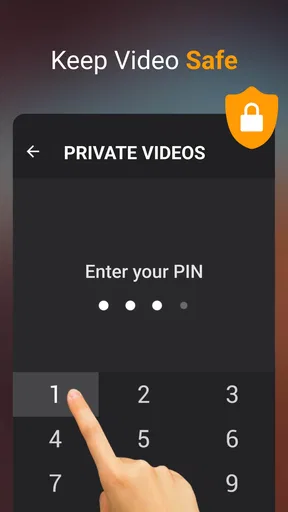
Our Review of Video Downloader
 Analysis by Appyee
I find the most useful way to think about Video Downloader is as a small utility for keeping online clips available when I am away from a reliable connection. That can mean saving a cooking demonstration before heading to a kitchen with poor reception, or setting aside a few reference clips for a commute. It is less compelling if I only watch videos while connected, or if I need a full editing studio rather than a straightforward way to collect media.
It sits in the video player and editor category, although its main appeal is downloading rather than editing. InShot Inc. makes the app, which is free to install and has a 4.7 average from around 2.6 million ratings. Those figures suggest it has reached a broad audience, but they do not tell me whether a particular site or clip will work; I would still treat each download as something to test before relying on it.
How I would fit it into an ordinary day
Imagine I spot a short repair tutorial while waiting for a bus. I can save it while I have a connection, then watch it later in a basement or workshop where streaming might stall. For that kind of task, a downloader is more useful than bookmarking the page: a bookmark still depends on the original page and an internet connection, while a locally saved file is ready to open offline.
I would keep the collection purposeful rather than saving every clip that catches my eye. A practical habit is to download only what I expect to use, check that the saved file plays, and remove it when the task is done. That avoids filling a device with forgotten media and gives me a quick way to catch a failed or incomplete download before I leave Wi-Fi.
For a longer trip, I would also prepare a little earlier instead of queuing a large collection at the last minute. A batch queue can reduce repetitive tapping, but it does not remove the need to confirm that each item finishes and is playable. If storage is tight, selecting a few genuinely useful clips is a better trade-off than trying to build a complete offline copy of a social feed.
Where it fits among other ways to save video
Compared with streaming apps’ own offline options, a general downloader can feel more flexible when the clip comes from a page those apps do not manage. The trade-off is that a dedicated streaming service usually keeps its offline viewing inside that service, while a downloaded file is a separate item on the device. If I only want to watch shows from one subscription, its official offline feature is usually the cleaner choice.
Compared with a browser bookmark, Video Downloader is aimed at keeping the media itself rather than merely pointing back to a page. Compared with a screen recorder, downloading is a more direct approach when the app can access the clip; recording is a fallback with extra steps and may capture interface elements or notifications. Neither comparison makes this tool universal: the source site can affect what is available, and a downloader should not be assumed to work with every page.
I would also separate downloading from editing. Someone who wants to trim, caption, combine, or color-correct footage should look for an editor designed around those jobs. This app may help gather clips for later viewing, but I would not choose it as my main creative workspace or assume it can prepare a polished social post.
Small checks that save frustration
When a link does not behave as expected, I would first open the page in the app’s built-in browser and see whether the clip is accessible there. If I am using a copied link, I would check that I copied the video’s page rather than a profile, an image, or a redirect. This is a useful first troubleshooting step because a bad source link can look like an app problem.
After a download, I would play the file before closing the page or deleting anything from the source. That simple check answers two practical questions at once: whether the item actually saved and whether its sound and picture are usable. If the result is not right, trying a different available source or choosing the site’s own download option may be more sensible than repeatedly submitting the same link.
One important boundary is permission. A clip being visible online does not automatically mean it is yours to copy, repost, or share elsewhere. I would use saved files for personal offline viewing when allowed, and respect the creator’s rights and the site’s rules. For work, school, or public reuse, I would seek permission or use material explicitly offered for that purpose.
Who is likely to appreciate it
I can see the appeal for people who travel, have patchy mobile service, revisit tutorial clips, or want a few videos ready for a device that will be offline. It is also a simple option for someone who prefers a focused utility over a more complicated media-management setup. Its free entry point makes it easy to try, while in-app purchases range from $2.99 to $6.99 per item; I would check the purchase screen carefully before paying for anything and decide whether the added value suits my own routine.
I would skip it if my main need is editing, organizing a large professional archive, or guaranteed access to protected content. It is also not the right answer when an official offline mode already does the job more reliably. The age rating is Teen, so families should consider that when deciding whether it is appropriate for younger users, particularly because a downloader can lead people to browse material from the wider internet.
Current state and what its version tells me
The app’s current version is 2.5.9, and it first appeared on March 16, 2018. That gives a reader a useful snapshot of its place in the app’s life: it is an established utility rather than a brand-new experiment. I would not infer a particular feature change from a version number alone, though. Without a specific change log to point to, the responsible conclusion is simply that this is the version currently offered, not a promise about what has changed under the surface.
For someone already using it, a version update is worth approaching practically: check that the app still opens your usual source pages and that saved videos remain accessible after updating. I would keep important files somewhere I can find them and avoid assuming that a future app update will preserve every workflow exactly as it is today. That is sensible housekeeping for any tool that sits between a website and a personal media collection.
What I would watch for over time
My main question for continued use would be consistency: whether the sources I rely on remain accessible and whether the basic save-and-play routine stays uncomplicated. I would also pay attention to how clearly the app explains any paid options, since a free download can still include optional purchases. Those are practical things to reassess when an update arrives, rather than reasons to expect any particular feature or policy change.
Storage is another reason to review the collection occasionally. Offline clips are useful precisely because they stay on the device, but that convenience has a cost in local space. I would delete finished tutorials and travel videos, keep only what I expect to revisit, and use the device’s normal file controls to manage the saved material. That small habit matters more than building a huge queue.
Ever found yourself scrolling through social media, mesmerized by an amazing video, and wished you could save it for later? Well, you’re in luck! I recently got my hands on the Video Downloader app, and let me tell you, it’s a game-changer for anyone who loves collecting videos on their device. Let’s dive into my experience with this app.
Getting Started with Video Downloader
Installing Video Downloader was a breeze. Available on both Android and iOS, you can easily find it in your app store. Once installed, the app greets you with a clean, intuitive interface. Seriously, it’s as straightforward as apps get. You don’t have to be a tech guru to navigate through it.
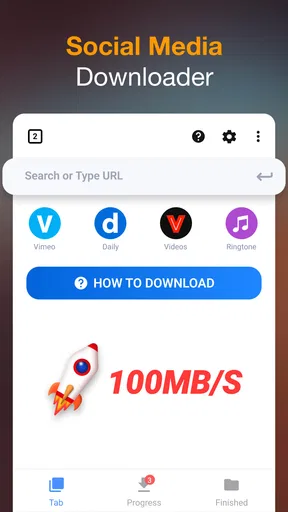
The app supports a wide range of platforms, allowing you to download videos from popular sites with just a few taps. I decided to test it on a few different platforms, and it worked like a charm every single time. Whether it’s a funny clip from Instagram or a tutorial from Facebook, this app has you covered.
Key Features That Stand Out
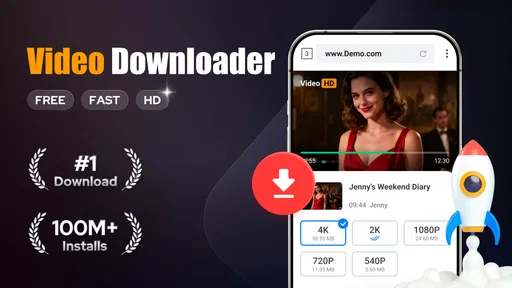
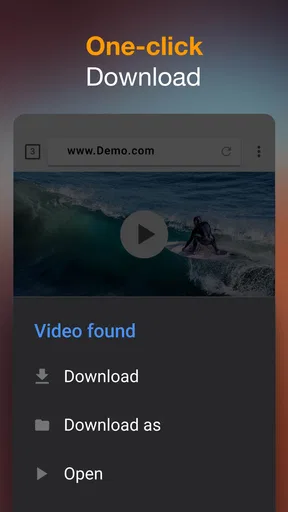
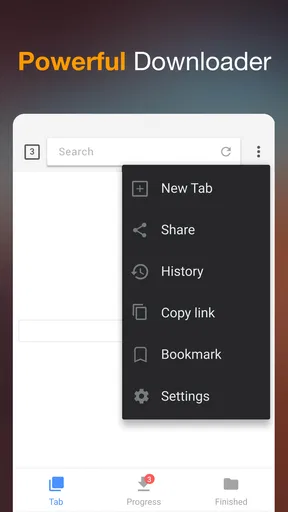
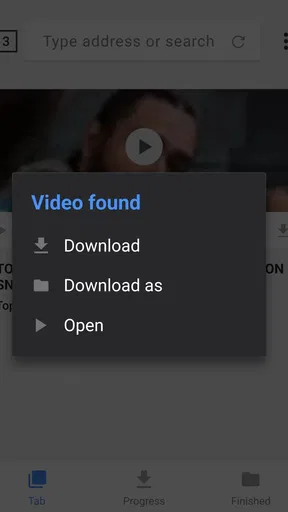
One of the coolest features is the built-in browser. You can surf the web directly within the app, making it super convenient to find and download videos without switching apps. The download process is as simple as copying the video link and pasting it into the app. Once you hit download, the video saves straight to your device, ready for offline viewing.
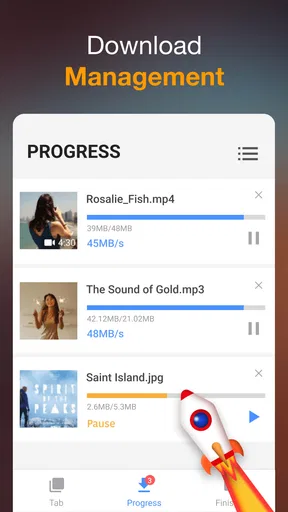
Another noteworthy feature is the batch download option. You can queue up multiple videos at once, which is perfect for those days when you want to stock up on content for a long flight or a lazy weekend. Plus, there’s no need to worry about compromising on quality. The app preserves the video’s original resolution, ensuring you get the best viewing experience.
User Experience and Performance
Using the app is a pleasant experience overall. The design is sleek, and everything is well-organized, which makes navigation a breeze. I found the performance to be quite reliable, with fast download speeds and no annoying ads popping up every few seconds. Trust me, nothing ruins the vibe more than intrusive ads.
Security is another aspect that the developers seem to have prioritized. The app doesn’t require any unnecessary permissions, and you can rest easy knowing your downloads are stored locally on your device. This means your data stays safe and private.
Wrapping Up My Thoughts
After putting the app through its paces, I can confidently say it’s a must-have app. Whether you’re a casual user or someone who frequently needs to save videos for offline use, this app delivers exactly what it promises. It's efficient, user-friendly, and packed with features that make video downloading a seamless process.
If you’re ready to take control of your video library, give Video Downloader a try. You can download it from the links provided on our site. Trust me, once you start using it, you’ll wonder how you ever managed without it!
Privacy and Permissions
See what permissions an app requests and how it handles your data.
- Photos/Media/Files
- read the contents of your USB storage, modify or delete the contents of your USB storage
- Storage
- read the contents of your USB storage, modify or delete the contents of your USB storage
- Wi-Fi connection information
- view Wi-Fi connections
- Other
- view network connections, full network access, control vibration, prevent device from sleeping, modify system settings, Google Play license check
Verdict
Strengths of Video Downloader
- Supports multiple formats for versatility.
- Fast download speeds save time.
- User-friendly interface for easy navigation.
- Allows batch downloads for efficiency.
- Works with various websites for broad use.
Limitations of Video Downloader
- May contain intrusive ads during use.
- Limited features in the free version.
- Compatibility issues with some devices.
- Requires permissions that may concern privacy.
- Occasional download failures with large files.
Other Releases by InShot Inc.
View All
All Video Downloader
Video Players & Editors4.7

Music Player & MP3 Player
Music & Audio4.7

Video Player All Format
Video Players & Editors4.8

Photo Editor - Polish
Photography4.8
Similar Picks in This Category
View All
Google TV
Google LLC3.9

iTunes
Apple4.7

YouTube
Google LLC3.8

MX Player
Amazon Mobile LLC4.2

CapCut - Video Editor
Bytedance Pte. Ltd.3.5

PLAYit-All in One Video Player
PLAYIT TECHNOLOGY PTE. LTD.4.5
Frequently Asked Questions
How does the Video Downloader app work?
The Video Downloader app allows users to download videos from various websites directly to their devices. Simply paste the URL of the video into the app, select your desired format and quality, and initiate the download. The app supports multiple formats and resolutions, making it versatile for different needs.
Is the Video Downloader app safe to use?
Yes, the Video Downloader app is designed with user safety in mind. It does not access personal data or require unnecessary permissions. However, it's important to download the app from a reputable source, such as the official app store, to avoid potential security risks.
Can I download videos from any website using this app?
The Video Downloader app supports a wide range of websites but not all. Some websites have restrictions or protections in place that may prevent downloading. It’s always recommended to check the app's compatibility list or test with a small file before downloading larger videos.
Are there any limitations on the number of videos I can download?
Most versions of the Video Downloader app do not impose a limit on the number of videos you can download. However, the free version of the app might have limitations on features like batch downloading or downloading videos of higher resolutions. Consider upgrading to the pro version for full access.
Does the Video Downloader app support multiple formats?
Yes, the app supports various formats including MP4, AVI, and MOV, among others. Users can select their preferred format and quality before downloading. This flexibility ensures compatibility with different devices and media players, enhancing the user experience.
